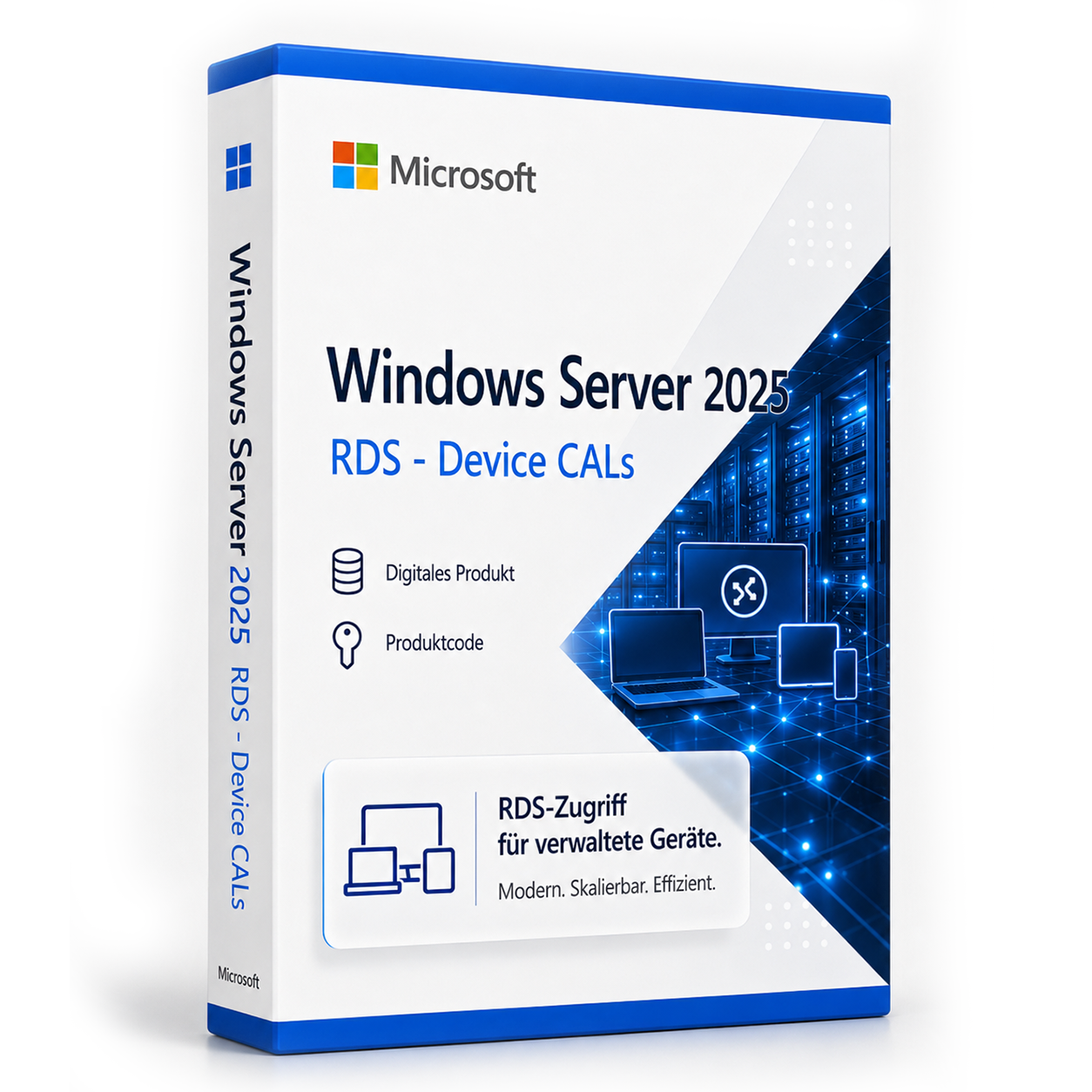

Microsoft Windows Server 2025 RDS - Device CAL
Microsoft Windows Server 2025 RDS – Device CALs kaufen | Effizienter Gerätezugriff für Ihre IT-Infrastruktur Mit den neuen Microsoft Windows Server 2025 RDS –... Die Lizenz wird als Produktschlüssel per E-Mail geliefert und ist dauerhaft gültig (kein Abo). Lieferung erfolgt digital per E-Mail mit Produktschlüssel, Download-Link und Rechnung durch SoftwareKing24.
0 Leute schauen sich gerade das Produkt an. 0 haben es im Warenkorb.
incl. VAT
- Immediate shipping via email: Product key, instructions, download & invoice in seconds.
- Full version: Permanently valid license. No subscription, no ongoing costs.
- 24/7 Premium Support: Free assistance with installation & activation.
- Buyer protection up to €20,000: Every purchase is covered by Trusted Shops secured.
Description
Buy Microsoft Windows Server 2025 RDS – Device CALs | Efficient device access for your IT infrastructure
With the new Microsoft Windows Server 2025 RDS – Device CALs, you can make access to your server structure not only legally compliant but also particularly flexible and efficient. This licensing solution allows you to specifically enable a device for access to your Remote Desktop Services – regardless of who uses the device. This way, you benefit from a clear licensing structure, low administrative costs, and high predictability.What is a Microsoft Windows Server 2025 RDS – Device CAL and when is it worth using?
The Device CAL (Client Access License) is a device-bound access license that allows a single device – for example, an office PC, a terminal, or a cash register system – to access the Remote Desktop Services of the Windows Server. This form of licensing is particularly suitable when multiple changing users regularly work with a single device. This keeps administrative effort low while you simultaneously benefit from an optimal cost-benefit ratio.For which companies are Windows Server 2025 RDS Device CALs the optimal solution?
The Windows Server RDS – Device CAL is particularly suitable for companies where multiple employees use the same end device – for example, in shift work, call centers, public institutions, or training rooms. Especially in scenarios with fixed workplaces, shared hardware, or stationary workplaces, device-based licensing ensures maximum efficiency and transparency – without complex user management or double licensing costs.Your advantages with Windows Server 2025 RDS Device CALs at a glance
- Licensing per device – ideal for shared workstations
- Compatible with all features of Windows Server 2025 Remote Desktop Services
- Cost-effective for fixed workplaces with multiple users
- Easy management through clear license assignment
- High scalability for growing networks
- Legally compliant, auditable Microsoft original license
- Digital delivery immediately after purchase – even on weekends
Why Softwareking24 is the best choice for your Windows Server 2025 licenses
At Softwareking24, you not only receive original Microsoft licenses at particularly favorable conditions but also comprehensive service that reliably supports you from selection to purchase to activation. Thanks to our many years of experience in the field of digital licensing solutions, our transparent communication, and a competent German-speaking support team, we provide you with everything you need for secure and successful licensing.- Digital license delivery directly after payment receipt
- 100% verified Microsoft original products
- Ideal for companies, authorities, educational institutions, and NGOs
- License consulting by trained experts
- Trusted Shops buyer protection and outstanding reviews
Who are Microsoft Windows Server 2025 RDS – Device CALs the right choice for?
- Companies with shift work or shared workplaces
- Institutions with fixed devices – e.g., schools, libraries, receptions
- Public administrations with shared hardware use
- Organizations with high user turnover at stationary devices
- IT teams that rely on easy license management and legal compliance
Technical advantages for your IT department with Windows Server 2025 RDS Device CALs
With Device CALs for Windows Server 2025, you not only reduce licensing effort but also strengthen your IT security. Access can be centrally controlled, monitored, and documented – including GDPR-compliant control and maximum flexibility in network planning. New devices can be integrated at any time without having to make your license inventory confusingly large.System requirements for Microsoft Windows Server 2025 RDS Device CALs
| Component | Minimum Requirement |
|---|---|
| Windows Server Version | Microsoft Windows Server 2025 |
| Client Access | Device-based (Device CAL) |
| Network | Stable internet connection for remote access |
| Device Compatibility | PC, terminal, workstation (Windows/macOS/Linux) |
Frequently Asked Questions (FAQ)
What is the difference between a Device CAL and a User CAL?
A Device CAL is assigned to a device, regardless of who uses that device. In contrast, a User CAL is assigned to a user, who can then access the server from multiple devices. In work environments with shared devices, the Device CAL is usually the better choice.How many Device CALs can I buy from Softwareking24?
You can purchase as many Device CALs as you like – whether for ten devices, a hundred, or more. For bulk orders, we offer attractive tiered pricing and personal consultation from our experienced sales team.How quickly will I receive my Device CALs?
Immediately after purchase, you will receive your license keys and activation information via email – usually within a few minutes. This way, you can start integration right away, without any waiting time.Conclusion: Microsoft Windows Server 2025 RDS Device CALs offer maximum efficiency for shared devices
The Windows Server 2025 RDS – Device CAL is the ideal solution for companies, organizations, and educational institutions where multiple users work on a device. You benefit from simple, scalable, and legally compliant licensing that fits perfectly into any existing infrastructure. Order now at Softwareking24 – fast, reliable, and 100% audit-compliant.Häufige Fragen zu Microsoft Windows Server 2025 RDS - Device CAL
Wird Remote Desktop (RDS) mit Microsoft Windows Server 2025 RDS - Device CAL unterstützt?
Ja, Microsoft Windows Server 2025 RDS - Device CAL ist für Remote-Desktop-Services (RDS) ausgelegt. Die CAL berechtigt den Zugriff auf eine Windows-Server-RDS-Umgebung – der RDS-Rollendienst muss auf dem Server separat eingerichtet werden.
Wie viele User oder Geräte deckt Microsoft Windows Server 2025 RDS - Device CAL ab?
Microsoft Windows Server 2025 RDS - Device CAL deckt 2025 parallele Zugriffe ab (User- oder Device-CAL je nach Produktbezeichnung). Jeder zusätzliche Benutzer oder jedes weitere Gerät benötigt eine weitere CAL-Lizenz.
Standard vs. Datacenter – welche Server-Edition brauche ich?
Windows Server Standard eignet sich für kleinere Umgebungen mit wenigen VMs. Datacenter (z. B. Microsoft Windows Server 2025 RDS - Device CAL) ist für Rechenzentren mit vielen virtuellen Maschinen pro Host wirtschaftlicher. Prüfen Sie Ihre VM-Anzahl vor dem Kauf.
Kann ich Microsoft Windows Server 2025 RDS - Device CAL als Domänencontroller nutzen?
Ja, Microsoft Windows Server 2025 RDS - Device CAL unterstützt Active Directory, DNS, DHCP und Gruppenrichtlinien als Domänencontroller. CALs (User oder Device) sind für jeden Zugriff auf den Server erforderlich – zusätzlich zur Server-Lizenz.
Welche Hardware-Anforderungen hat Microsoft Windows Server 2025 RDS - Device CAL?
Für Microsoft Windows Server 2025 RDS - Device CAL empfehlen sich ein 64-Bit-Prozessor ab 1 GHz, mindestens 4 GB RAM und 64 GB freier Speicherplatz. Eine DirectX-9-fähige Grafikkarte ist ausreichend – TPM 2.0 ist bei 10 nicht zwingend.
Funktioniert Microsoft Windows Server 2025 RDS - Device CAL für Gaming?
Ja, Microsoft Windows Server 2025 RDS - Device CAL unterstützt DirectX 12, Auto-HDR und die Xbox-Game-Bar. Für aktuelle Spiele sind ausreichend RAM (16 GB empfohlen), SSD und eine dedizierte Grafikkarte entscheidend – unabhängig von der Windows-Edition.
Ist die Microsoft Windows Server 2025 RDS - Device CAL-Lizenz an die Hardware gebunden?
Retail-Lizenzen von Microsoft Windows Server 2025 RDS - Device CAL können nach Deaktivierung auf einem neuen PC erneut aktiviert werden. OEM-Lizenzen sind an das erstaktivierte Mainboard gebunden. Bei uns erhalten Sie in der Regel Retail-Keys mit Übertragbarkeit.
Wie viele Neuinstallationen sind mit dem Microsoft Windows Server 2025 RDS - Device CAL-Key erlaubt?
Ein Retail-Key für Microsoft Windows Server 2025 RDS - Device CAL darf auf einem PC gleichzeitig aktiv sein. Nach telefonischer oder Online-Deaktivierung ist eine erneute Aktivierung auf anderer Hardware möglich. Mehrfach parallele Nutzung auf mehreren PCs ist nicht lizenziert.
Funktioniert Microsoft Windows Server 2025 RDS - Device CAL auf einem Mac mit Boot Camp oder Parallels?
Ja, Microsoft Windows Server 2025 RDS - Device CAL lässt sich in einer virtuellen Maschine (Parallels, VMware) oder per Boot Camp auf Intel-Macs installieren. Apple-Silicon-Macs (M1/M2/M3) unterstützen nur ARM-Windows in VM – klassisches Boot Camp entfällt dort.
Wie erhalte ich den Produktschlüssel für Microsoft Windows Server 2025 RDS - Device CAL?
Nach dem Kauf von Microsoft Windows Server 2025 RDS - Device CAL erhalten Sie den Produktschlüssel, Download-Link und Rechnung automatisch per E-Mail – in der Regel innerhalb weniger Minuten. Prüfen Sie auch den Spam-Ordner.