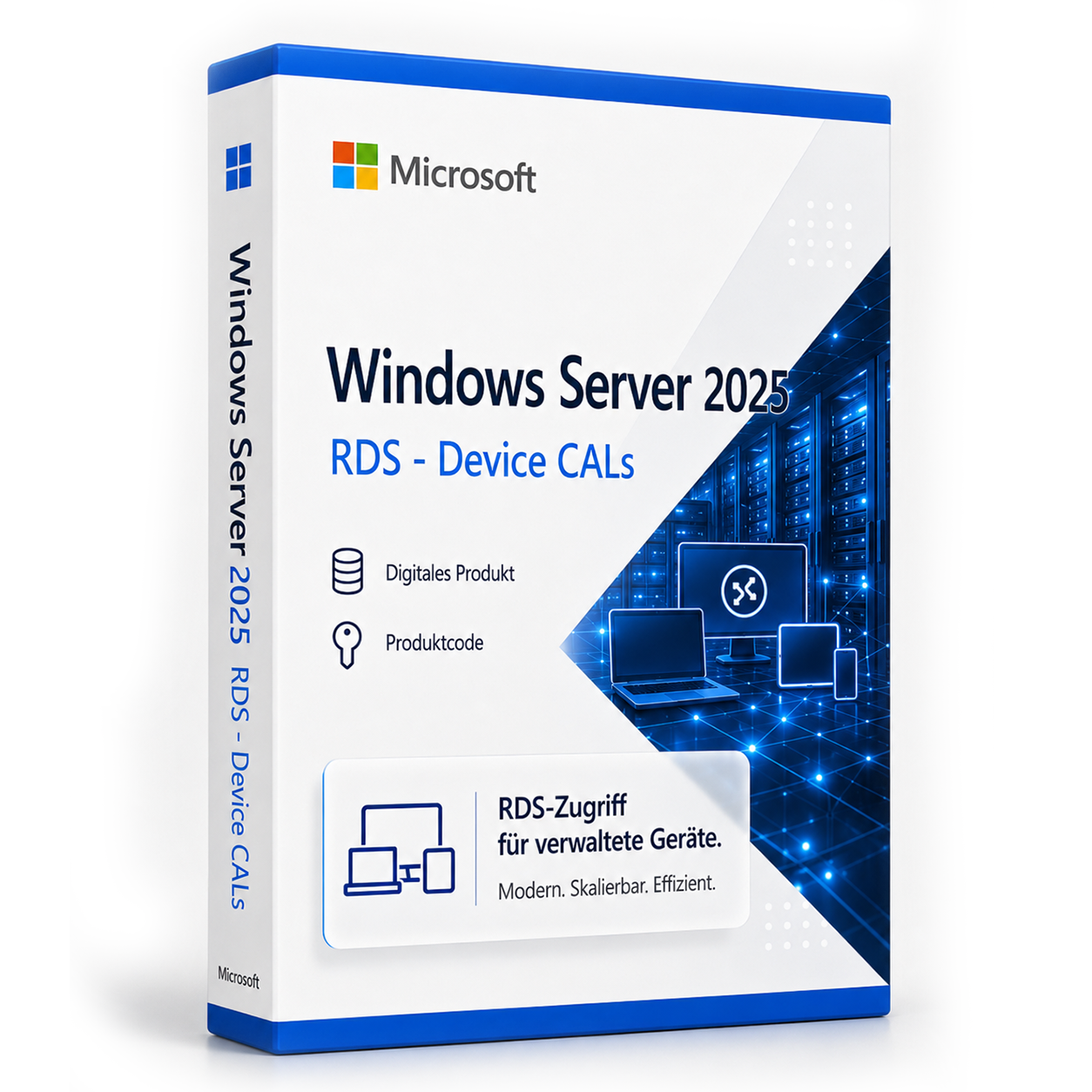

Microsoft Windows Server 2025 RDS - Device CAL
Licensed access to Remote Desktop Services on Windows Server 2025 per device. The licensed device can be used by different people.
0 Leute schauen sich gerade das Produkt an. 0 haben es im Warenkorb.
incl. VAT
- Immediate shipping via email: Product key, instructions, download & invoice in seconds.
- Full version: Permanently valid license. No subscription, no ongoing costs.
- 24/7 Premium Support: Free assistance with installation & activation.
- Buyer protection up to €20,000: Every purchase is covered by Trusted Shops secured.
Description
Windows Server 2025 Remote Desktop CALs - Device
Licensed access to Remote Desktop Services on Windows Server 2025 per device.
Product Description
Windows Server 2025 Remote Desktop CALs - Device entitles an assigned device to access Remote Desktop Services on Windows Server 2025. The licensed device can be used by different people.
License Model
Licensing per Device
A Device CAL is assigned to a device. Multiple people may use this licensed device for RDS access.
For Shared Devices
Suitable for fixed workplaces, terminals, and devices where multiple people work sequentially.
Flexible License Quantity
The license is available for 1 to 1.000 devices.
Application Areas
- Shared PCs, thin clients, and terminals
- Shift workplaces with changing users
- Environments with fewer devices than accessing individuals
Product Overview
| Product Feature | Specification |
|---|---|
| Product Type | RDS Device CAL |
| Generation | Windows Server 2025 |
| License Model | per device |
| Licensed Unit | Devices |
| Selectable Packages | 1, 5, 10, 25, 50, 100, 150, 200, 250, 300, 350, 400, 500, 750, 1.000 |
Passt dazu – oft zusammen gekauft


Related products

incl. 19% VAT

incl. 19% VAT
incl. 19% VAT

incl. 19% VAT
incl. 19% VAT

incl. 19% VAT

incl. 19% VAT

incl. 19% VAT
Frequently asked questions about Windows Server 2025 Remote Desktop CALs - Device
Wird Remote Desktop (RDS) mit Windows Server 2025 Remote Desktop CALs - Device unterstützt?
Ja, Windows Server 2025 Remote Desktop CALs - Device ist für Remote-Desktop-Services (RDS) ausgelegt. Die CAL berechtigt den Zugriff auf eine Windows-Server-RDS-Umgebung – der RDS-Rollendienst muss auf dem Server separat eingerichtet werden.
Wie viele Benutzer sind mit Windows Server 2025 Remote Desktop CALs - Device möglich?
Bei Windows Server 2025 Remote Desktop CALs - Device richtet sich die Benutzerzahl nach der Server-Edition (Essentials, Standard, Datacenter) und den zusätzlich lizenzierten CALs. Ohne CALs ist nur die lokale Server-Konsole bzw. begrenzte Verwaltungszugriffe möglich.
Standard vs. Datacenter – which server edition do I need?
Windows Server Standard is suitable for smaller environments with few VMs. Datacenter (e.g., Microsoft Windows Server 2025 RDS - Device CAL) is more economical for data centers with many virtual machines per host. Check your number of VMs before purchasing.
Kann ich Windows Server 2025 Remote Desktop CALs - Device als Domänencontroller nutzen?
Ja, Windows Server 2025 Remote Desktop CALs - Device unterstützt Active Directory, DNS, DHCP und Gruppenrichtlinien als Domänencontroller. CALs (User oder Device) sind für jeden Zugriff auf den Server erforderlich – zusätzlich zur Server-Lizenz.
Welche Hardware-Anforderungen hat Windows Server 2025 Remote Desktop CALs - Device?
Für Windows Server 2025 Remote Desktop CALs - Device empfehlen sich ein 64-Bit-Prozessor ab 1 GHz, mindestens 4 GB RAM und 64 GB freier Speicherplatz. Eine DirectX-9-fähige Grafikkarte ist ausreichend – TPM 2.0 ist bei 10 nicht zwingend.
Funktioniert Windows Server 2025 Remote Desktop CALs - Device für Gaming?
Ja, Windows Server 2025 Remote Desktop CALs - Device unterstützt DirectX 12, Auto-HDR und die Xbox-Game-Bar. Für aktuelle Spiele sind ausreichend RAM (16 GB empfohlen), SSD und eine dedizierte Grafikkarte entscheidend – unabhängig von der Windows-Edition.
Ist die Windows Server 2025 Remote Desktop CALs - Device-Lizenz an die Hardware gebunden?
Retail-Lizenzen von Windows Server 2025 Remote Desktop CALs - Device können nach Deaktivierung auf einem neuen PC erneut aktiviert werden. OEM-Lizenzen sind an das erstaktivierte Mainboard gebunden. Bei uns erhalten Sie in der Regel Retail-Keys mit Übertragbarkeit.
Wie viele Neuinstallationen sind mit dem Windows Server 2025 Remote Desktop CALs - Device-Key erlaubt?
Ein Retail-Key für Windows Server 2025 Remote Desktop CALs - Device darf auf einem PC gleichzeitig aktiv sein. Nach telefonischer oder Online-Deaktivierung ist eine erneute Aktivierung auf anderer Hardware möglich. Mehrfach parallele Nutzung auf mehreren PCs ist nicht lizenziert.
Funktioniert Windows Server 2025 Remote Desktop CALs - Device auf einem Mac mit Boot Camp oder Parallels?
Ja, Windows Server 2025 Remote Desktop CALs - Device lässt sich in einer virtuellen Maschine (Parallels, VMware) oder per Boot Camp auf Intel-Macs installieren. Apple-Silicon-Macs (M1/M2/M3) unterstützen nur ARM-Windows in VM – klassisches Boot Camp entfällt dort.
Wie erhalte ich den Produktschlüssel für Windows Server 2025 Remote Desktop CALs - Device?
Nach dem Kauf von Windows Server 2025 Remote Desktop CALs - Device erhalten Sie den Produktschlüssel, Download-Link und Rechnung automatisch per E-Mail – in der Regel innerhalb weniger Minuten. Prüfen Sie auch den Spam-Ordner.