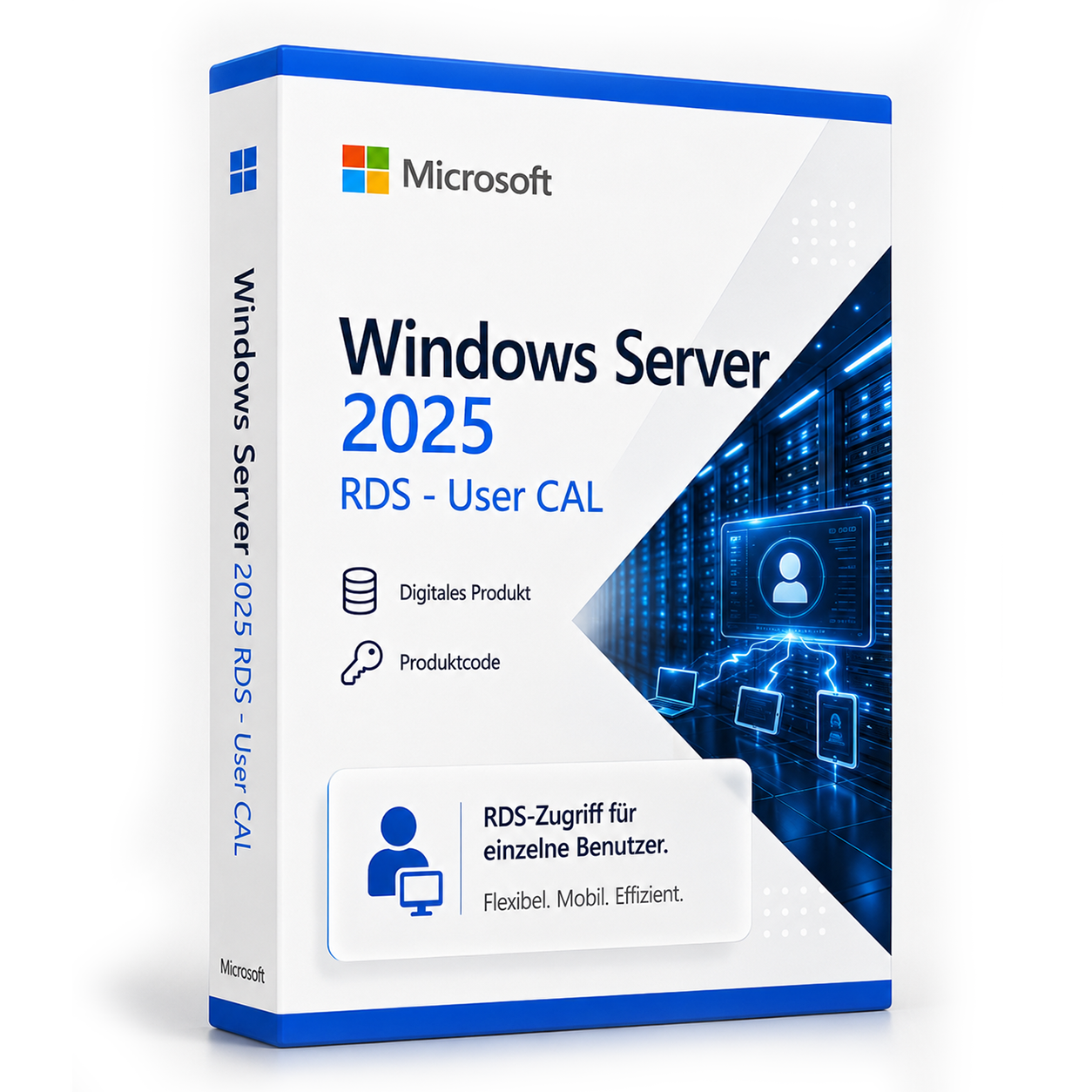

Windows Server 2025 Remote Desktop CALs - User
Licensed access for users to Remote Desktop Services under Windows Server 2025. The licensed user can use different devices for this purpose.
incl. VAT
- Immediate shipping via email: Product key, instructions, download & invoice in seconds.
- Full version: Permanently valid license. No subscription, no ongoing costs.
- 24/7 Premium Support: Free assistance with installation & activation.
- Buyer protection up to €20,000: Every purchase is covered by Trusted Shops secured.
Description
Windows Server 2025 Remote Desktop CALs - User
Licensed access for users to Remote Desktop Services under Windows Server 2025.
Product description
Windows Server 2025 Remote Desktop CALs - User entitles an assigned user to access Remote Desktop Services under Windows Server 2025. The licensed user can use different devices for this purpose.
Licensing model
Licensing per user
A User CAL is assigned to a user. The user may use the RDS environment from various devices.
For users with multiple devices
Suitable when the same individuals access RDS, for example, via a desktop PC, laptop, or thin client.
Flexible number of licenses
The license is available for 1 to 1.000 users.
Areas of application
- Fixed users with access via multiple devices
- Mobile or changing workplaces with personal user assignment
- Environments with fewer users than devices used
Product overview
| Product feature | Specification |
|---|---|
| Product type | RDS User CAL |
| Generation | Windows Server 2025 |
| Licensing model | per user |
| Licensed unit | User |
| Selectable packages | 1, 5, 10, 25, 50, 100, 150, 200, 250, 300, 350, 400, 500, 750 or 1.000 |
Passt dazu – oft zusammen gekauft


Related products

incl. 19% VAT
incl. 19% VAT

incl. VAT
incl. VAT

incl. 19% VAT

incl. VAT
incl. VAT

incl. 19% VAT
incl. 19% VAT

incl. 19% VAT
Frequently asked questions about Windows Server 2025 Remote Desktop CALs - User
Wird Remote Desktop (RDS) mit Windows Server 2025 Remote Desktop CALs - User unterstützt?
Ja, Windows Server 2025 Remote Desktop CALs - User ist für Remote-Desktop-Services (RDS) ausgelegt. Die CAL berechtigt den Zugriff auf eine Windows-Server-RDS-Umgebung – der RDS-Rollendienst muss auf dem Server separat eingerichtet werden.
Wie viele Benutzer sind mit Windows Server 2025 Remote Desktop CALs - User möglich?
Bei Windows Server 2025 Remote Desktop CALs - User richtet sich die Benutzerzahl nach der Server-Edition (Essentials, Standard, Datacenter) und den zusätzlich lizenzierten CALs. Ohne CALs ist nur die lokale Server-Konsole bzw. begrenzte Verwaltungszugriffe möglich.
Standard vs. Datacenter – which server edition do I need?
Windows Server Standard is suitable for smaller environments with few VMs. Datacenter (e.g., Microsoft Windows Server 2025 RDS - User CAL) is more economical for data centers with many virtual machines per host. Check your number of VMs before purchasing.
Kann ich Windows Server 2025 Remote Desktop CALs - User als Domänencontroller nutzen?
Ja, Windows Server 2025 Remote Desktop CALs - User unterstützt Active Directory, DNS, DHCP und Gruppenrichtlinien als Domänencontroller. CALs (User oder Device) sind für jeden Zugriff auf den Server erforderlich – zusätzlich zur Server-Lizenz.
Welche Hardware-Anforderungen hat Windows Server 2025 Remote Desktop CALs - User?
Für Windows Server 2025 Remote Desktop CALs - User empfehlen sich ein 64-Bit-Prozessor ab 1 GHz, mindestens 4 GB RAM und 64 GB freier Speicherplatz. Eine DirectX-9-fähige Grafikkarte ist ausreichend – TPM 2.0 ist bei 10 nicht zwingend.
Funktioniert Windows Server 2025 Remote Desktop CALs - User für Gaming?
Ja, Windows Server 2025 Remote Desktop CALs - User unterstützt DirectX 12, Auto-HDR und die Xbox-Game-Bar. Für aktuelle Spiele sind ausreichend RAM (16 GB empfohlen), SSD und eine dedizierte Grafikkarte entscheidend – unabhängig von der Windows-Edition.
Ist die Windows Server 2025 Remote Desktop CALs - User-Lizenz an die Hardware gebunden?
Retail-Lizenzen von Windows Server 2025 Remote Desktop CALs - User können nach Deaktivierung auf einem neuen PC erneut aktiviert werden. OEM-Lizenzen sind an das erstaktivierte Mainboard gebunden. Bei uns erhalten Sie in der Regel Retail-Keys mit Übertragbarkeit.
Wie viele Neuinstallationen sind mit dem Windows Server 2025 Remote Desktop CALs - User-Key erlaubt?
Ein Retail-Key für Windows Server 2025 Remote Desktop CALs - User darf auf einem PC gleichzeitig aktiv sein. Nach telefonischer oder Online-Deaktivierung ist eine erneute Aktivierung auf anderer Hardware möglich. Mehrfach parallele Nutzung auf mehreren PCs ist nicht lizenziert.
Funktioniert Windows Server 2025 Remote Desktop CALs - User auf einem Mac mit Boot Camp oder Parallels?
Ja, Windows Server 2025 Remote Desktop CALs - User lässt sich in einer virtuellen Maschine (Parallels, VMware) oder per Boot Camp auf Intel-Macs installieren. Apple-Silicon-Macs (M1/M2/M3) unterstützen nur ARM-Windows in VM – klassisches Boot Camp entfällt dort.
Wie erhalte ich den Produktschlüssel für Windows Server 2025 Remote Desktop CALs - User?
Nach dem Kauf von Windows Server 2025 Remote Desktop CALs - User erhalten Sie den Produktschlüssel, Download-Link und Rechnung automatisch per E-Mail – in der Regel innerhalb weniger Minuten. Prüfen Sie auch den Spam-Ordner.