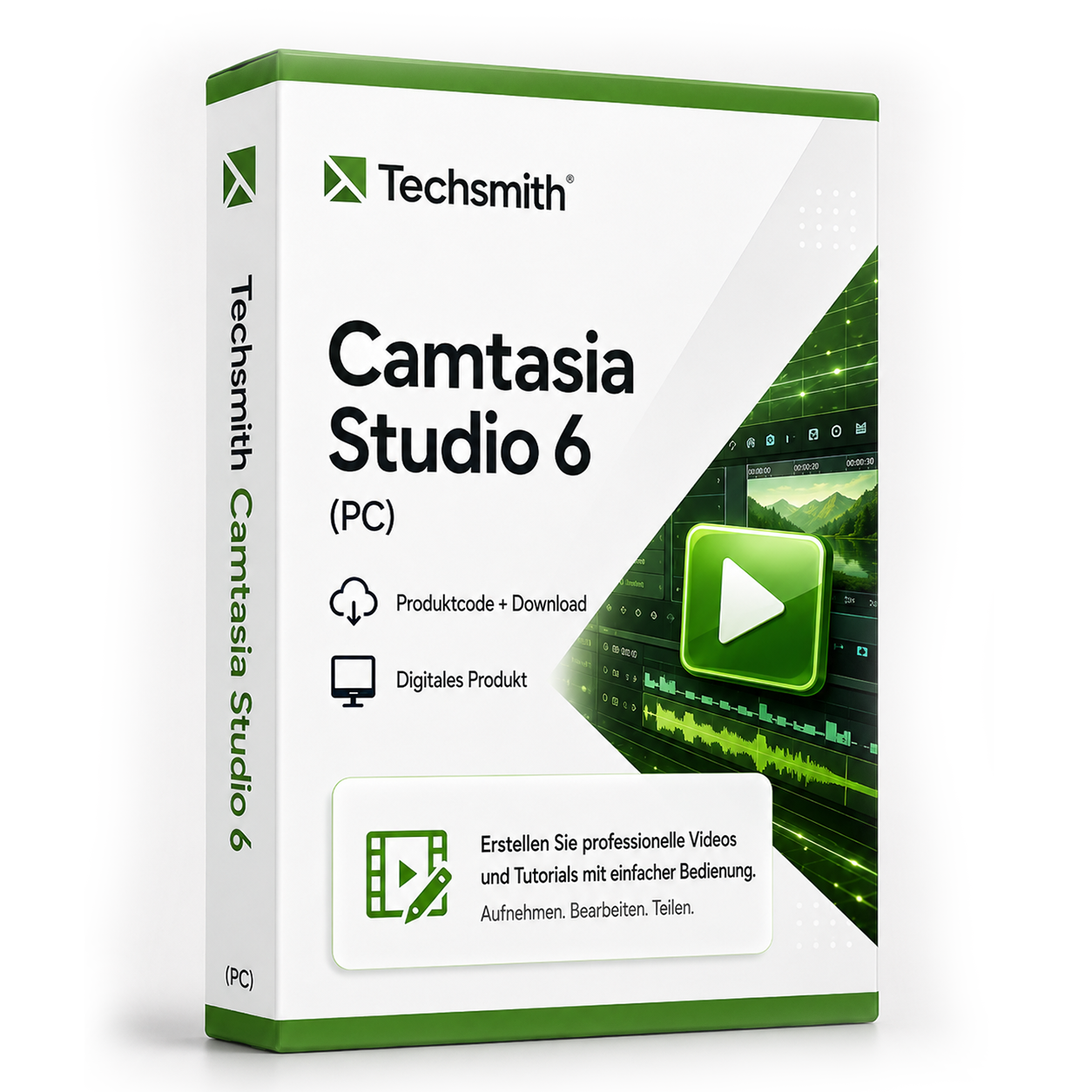
Techsmith Camtasia Studio 6 (PC)
Techsmith Camtasia Studio 6 - Professional Screen Recording and Video Editing Camtasia Studio 6 is a comprehensive solution for screen recording and video editing, ideal for creating tutorials, training videos, and presentations. The software combines powerful recording features with intuitive editing tools. Capture your screen in high quality, add comments and effects, and export your videos in various formats for different platforms.
0 Leute schauen sich gerade das Produkt an. 0 haben es im Warenkorb.
incl. 19% VAT
In stock
- Immediate shipping via email: Product key, instructions, download & invoice in seconds.
- Full version: Permanently valid license. No subscription, no ongoing costs.
- 24/7 Premium Support: Free assistance with installation & activation.
- Buyer protection up to €20,000: Every purchase is covered by Trusted Shops secured.
Description
Techsmith Camtasia Studio 6: Comprehensive Solution for Screen Recording and Video Production
Techsmith Camtasia Studio 6 establishes itself as a reliable all-in-one solution for professional screen recording and video editing. This software allows users to create high-quality screencasts, tutorials, and training videos without extensive prior knowledge in video editing. With a perfectly tuned combination of recording and editing tools, Camtasia Studio 6 supports both beginners and experienced users in producing engaging video content.Powerful Features for Professional Video Creation
Camtasia Studio 6 offers a comprehensive range of features that cover the entire workflow from recording to finished video. The software is characterized by its user-friendliness while also providing professional editing capabilities.Flexible Screen Recording
Capture your entire screen, selected areas, or specific windows in high resolution. The recording feature supports simultaneous capture of system audio, microphone commentary, and webcam video. The integrated cursor enhancement highlights mouse movements, which is particularly valuable for software demonstrations and tutorials.Intuitive Timeline Editing
Work with a clear timeline that allows precise cutting, arranging, and adjusting of your video and audio tracks. Seamlessly add transitions between scenes, adjust speed, or remove unwanted segments. The visual representation makes navigation easier and speeds up your editing process.Extensive Media Library and Effects
Utilize the built-in media library with pre-made animations, background music, sound effects, and graphic elements. Add callouts, text overlays, and annotations to highlight key points in your videos. The zoom-and-pan feature allows targeted focus on relevant screen areas.Diverse Application Areas for Different User Groups
Camtasia Studio 6 is used in numerous fields and supports various user groups in creating professional video content.- Software tutorials and product demonstrations
- Online courses and e-learning content
- Corporate presentations and training videos
- YouTube content and social media videos
- Technical documentation and support material
- Academic presentations and research documentation
Efficient Workflow from Recording to Export
The typical workflow with Camtasia Studio 6 begins with planning your recording. Set the recording area, configure audio sources, and start the recording. During the recording, you can set markers with keyboard shortcuts that will later serve as cut points. After completing the recording, the material automatically lands in the timeline for editing. In the editing phase, you arrange your clips, cut out unnecessary segments, and add professional elements. The preview function allows immediate control of your changes. Finally, choose the appropriate format for your target platform from numerous export profiles - whether for web, mobile devices, or DVD.Tip for Professional Results
Use noise reduction for audio recordings to minimize distracting background noise. Plan your recordings in advance and create a storyboard to save time during editing. An external microphone significantly improves audio quality.System Requirements for Techsmith Camtasia Studio 6
For smooth operation of Camtasia Studio 6, the following system requirements should be met. The recommended specifications ensure optimal performance, especially when editing longer videos and high resolutions.| Component | Minimum Requirements | Recommended Requirements |
|---|---|---|
| Operating System | Windows XP | Windows 7 or higher |
| Processor | 1 GHz processor | 2 GHz dual-core or faster |
| RAM | 512 MB RAM | 2 GB RAM or more |
| Graphics Card | DirectX 9 compatible card | DirectX 10 compatible card |
| Hard Disk Space | 400 MB free space | 2 GB free space |
| Internet Connection | Required for activation and updates | |
| Audio | Sound card, microphone recommended | |
Performance Recommendation for Smooth Editing
For optimal performance when editing longer videos, we recommend having sufficient free hard disk space for temporary files. Close unnecessary applications during recording and editing. A second monitor significantly facilitates working with the timeline.Your Benefits When Buying at softwareking24.com
As a customer of softwareking24.com, you benefit from a transparent purchasing process and reliable service for your software solutions.Immediate Delivery
The product code will be made available to you immediately in your customer account after purchase and sent to you via email simultaneously.Lifetime Use
Camtasia Studio 6 as a permanent version without subscription - one-time purchase, lifetime use without further costs.Original Software
You will receive an original product key from the manufacturer with full support for version 6.Create Professional Videos with Camtasia Studio 6
Camtasia Studio 6 provides you with all the tools to produce high-quality screen recordings and edited videos without extensive prior knowledge. The software impresses with its user-friendliness while also offering professional editing capabilities. Whether for business presentations, educational purposes, or personal projects - Camtasia Studio 6 consistently delivers good results. The permanent version without subscription obligation makes Camtasia Studio 6 an economical solution for long-term video production. Invest once in reliable software that enables you to create high-quality video content for years and enriches your communication through visual content.Related products
incl. 19% VAT
Frequently asked questions about Techsmith Camtasia Studio 6 (PC)
Which versions of Windows is Techsmith Camtasia Studio 6 (PC) suitable for?
Techsmith Camtasia Studio 6 (PC) supports Windows 10 and 11 (64-bit). Check the manufacturer's specifications for older Windows versions – partition tools may require admin rights.
Do I need administrator rights for Techsmith Camtasia Studio 6 (PC)?
Yes, administrator rights are generally required for Techsmith Camtasia Studio 6 (PC) (registry, drivers, partitions). Start the setup as an administrator and back up important data beforehand.
Is Techsmith Camtasia Studio 6 (PC) usable with SSD and HDD?
Yes, Techsmith Camtasia Studio 6 (PC) works on SSD and HDD drives. For partitioning tools, a complete backup is recommended before making changes.
How do I obtain the product key for Techsmith Camtasia Studio 6 (PC)?
After purchasing Techsmith Camtasia Studio 6 (PC), you will automatically receive the product key, download link, and invoice via email – usually within a few minutes. Also, check the spam folder.
Do you provide assistance with the installation of Techsmith Camtasia Studio 6 (PC)?
Yes, our support helps with the installation and activation of Techsmith Camtasia Studio 6 (PC). Use the included instructions or contact us through the help page if an error code occurs.
Is Techsmith Camtasia Studio 6 (PC) valid permanently?
Yes, Techsmith Camtasia Studio 6 (PC) is a one-time purchase license without a subscription. The key remains permanently valid as long as the manufacturer's system requirements are met.

Techsmith Camtasia Studio 6 (PC)
19.99€In stock